13 May 2026

TJ Gaushas
13 May 2026
TJ Gaushas
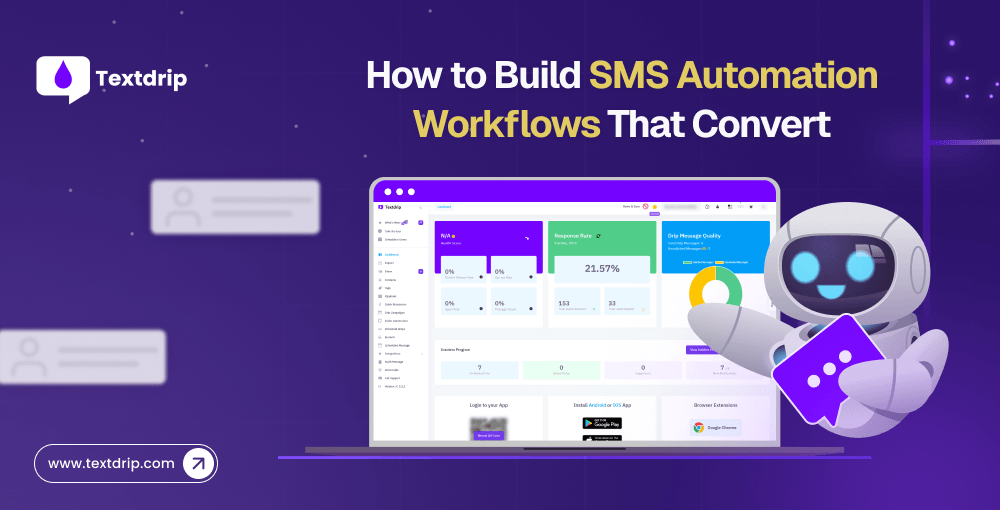
If you’re like most entrepreneurs, your to-do list is probably a mile long. You need to post on social media, update your blog, send messages to customers, and so much more! But you don’t have to feel overwhelmed. SMS automation workflows can easily lighten your workload. Once you set up your SMS automation workflows, you can communicate with your customers, nurture leads, and grow your business revenue while enjoying your morning coffee.
SMS boasts a 98% open rate and 45% response rate. When you automate these high-performing communications, you can build a revenue-generating machine that works 24/7, allowing you to focus on other important tasks. In short, these SMS automation workflows are an effective customer acquisition and revenue-driving strategy.
This article explains what SMS automation workflows are and how to build them for business growth.
SMS automation workflows are pre-planned, automatic text messages triggered by time, behavior, or specific customer actions.
For example:
If someone signs up -> they receive a welcome message
If someone abandons their cart -> they receive a reminder message
If someone makes a purchase-> they receive a follow-up message
SMS automation workflows fall into three main types.
The real magic happens when you combine all three.
Why SMS automation workflows are powerful:
Creating an SMS automation workflow is not just about sending text messages, but it’s also about building a system that delivers value to customers while achieving your business goals. Here are a few steps to follow to build an SMS automation workflow.
First, choose an SMS marketing platform like Textdrip that integrates easily with your CRM, Zapier, Salesforce, and other tools. Once you’ve selected your platform, identify your target audience.
Before you set up any workflow, ask yourself: What do I actually want this person to do?
Do you want them to book a call, make a purchase, attend a webinar, or renew their subscription?
Your goal determines the number of messages, timing, tone, CTA, and more. If you don’t know where you’re going, your customers won’t either.
Set one goal per workflow. Never try to sell, onboard, and upsell in a single sequence. Choose one thing and do it exceptionally well.
Before you start writing a single word of your message, understand your customer’s journey. Where do they find you? What are their questions? What objections need to be addressed? Your workflow should follow these four stages:
Awareness – Provide educational content
Interest – Offer comparison and social proof
Decision – Present compelling offers and a sense of urgency
Retention – Focus on support and relevant upsells.
Think about each interaction a customer has with your business and ensure your content flow follows the customer’s natural path while hitting key touchpoints. This helps you deliver the right message at the right time.
For an e-commerce business, a workflow might start with a welcome message, then proceed with purchase confirmations, shipping updates, and follow-up care instructions.
For a service business, it could involve appointment scheduling, reminders, and feedback requests.
Keep the SMS character limit in mind and write a compelling message that doesn’t sound robotic. Your message should be clear, concise, personal, and actionable. No fluff. Every message should provide value to customers.
Include only essential information, a clear CTA, and opt-out information. End your message with something that creates forward momentum.
Bad SMS Example:
Good SMS Example:
The bad SMS reads like a legal notice. The good SMS looks like someone actually cares.
Personalize your messages based on each customer’s past purchase, browsing activity, funnel stage, city, industry, and more. Use contact segmentation to group your customers by behavior, age, lifestyle, gender, and more, and send a relevant message to each group. Then send a tailored message to each group.
In this step, your SMS automation workflow comes to life. You need to set triggers that kick off each message in your sequence. When you set up the right triggers, your messages arrive at the right time, creating maximum impact and driving measurable results. Common triggers include new signups, purchase completions, appointment bookings, abandoned carts, and more.
Triggers work even while you sleep. Once you set up your workflow, messages are sent automatically based on your customers’ activities. For example, a first-time buyer will automatically receive a welcome text series, shipping updates, feedback requests, and more, all without any manual effort.
You can never send a text message without the customer’s consent. Under the TCPA, you need explicit opt-in consent before sending any marketing text message. Additionally, every text message you send must include a clear way to opt out.
Your compliance checklist should include:
Breaking these rules won’t just get you reported; it can lead to serious consequences. That’s why you should build compliance into your workflow from the very beginning. Don’t treat it as an afterthought.
Setting up your automation workflow is not a “set-it-and-forget-it” process. You need to consistently track key metrics, including open rates, click-through rates, conversion rates, opt-out rates, and more.
Start with one automation workflow. Test it thoroughly on a small segment of your audience, measure the results, and then optimize it before expanding to a wider audience.
Use the SMS marketing platform like Textdrip, which makes it easy to track performance and refine your strategy, even if you’re not so tech-savvy.
The main goal of this SMS automation workflow is to convert a new signup into an engaged lead immediately.
Trigger: User opts in (via form, website, keyword, checkbox).
Workflow Sequence
SMS 1 – Welcome and Confirmation (Immediately)
“Hi John! You’re subscribed to XYZ store updates. Expect deals and tips. Reply STOP to opt out and HELP for assistance.”

SMS 2 – Value or benefits (After 1 day)
“Hey John. Here is how to get the best deals from us [link]. Stay tuned for more exclusive offers! Reply STOP to opt out.”
SMS 3 – Offer or next step (After 2 or 3 days)
“Hi John, here is the welcome gift for you: Get 10% off your first order with code WELCOME 10. Shop here: [link]. Reply STOP to opt out.”
The main goal of this automation workflow is to recover lost sales without being annoying.
Trigger: No purchase within 30 to 60 minutes
Workflow Sequence
SMS 1 – Reminder – After 1 Hour
“Hey Herry, you left items in your cart. Complete your order here – [link]. Reply STOP to opt out.”
SMS 2 – Social Proof or Benefit – After 24 Hours
“Still thinking, Herry? Our customers love this product. Grab yours now – [Link]. Reply STOP to opt out.”
SMS 3 – Incentive + Urgency – After 48 Hours
“Last chance, Herry! Get 10% off your cart with code SAVE10. Offer ends tonight. [Link]. Reply STOP to opt out.”
You can design the best workflow strategy in the world, but if your platform is slow or non-compliant, the entire strategy will fall apart. That’s where Textdrip comes in.
Textdrip is specifically built for businesses that want to run powerful SMS automation workflows without dealing with complicated tools or high price tags. It helps you create drip campaigns, schedule messages, automatically distribute leads, and run two-way conversations, all from one dashboard.
Drip Campaigns – Send timed, personalized message sequences automatically.
Bucket – Sort and assign new leads to campaigns the moment they come in.
Two-way Texting – Have real conversations when leads respond.
AI Tools – Use Spintext and AI Text Generator to create message variations quickly.
Zapier Integration – Trigger SMS workflows based on actions in your CRM or other apps.
10DLC compliance – Stay on the right side of carrier rules.
Landline Remover Integrations – Clean your contact list and only text valid numbers.
No matter which industry you’re in, Textdrip makes it easy to build, launch, and scale your SMS automation workflows.
So, if you’re ready to turn your text into your best converting channel, try Textdrip today.
SMS automation workflows are the most direct, personal, and high-converting tools available. But there is a difference between a workflow that converts and one that people ignore. And that difference comes down to strategy.
So, here’s what you need to do: identify your goal, pick the right trigger, write like a human, time your messages well, personalize them deeply, stay compliant, and keep improving.
If you do this, your SMS workflow will work harder than any other channel.
Just remember: start small. Pick one workflow, launch it, measure the results, and then build from there.
That’s how you can create an SMS automation workflow that actually converts.
To create an SMS automation workflow, you need to choose the right SMS marketing platform and set clear goals. After that, map your customer journey, write your message, set a trigger and timing, stay compliant, and finally, test and launch the workflow.

As the COO of Textdrip, TJ oversees the global operations of the company. He’s committed to driving success through strategic… Read More
11 May 2026

Nicole Esters
01 May 2026

Kath Galpo
28 Jul 2025
TJ Gaushas
04 Oct 2024
TJ Gaushas

As the COO of Textdrip, TJ oversees the global operations of the company. He’s committed to driving success through strategic… Read More